Copy and check the feed
- Open Websites and select the relevant item in the website hierarchy. For one podcast, select its Show.
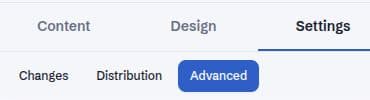
- Choose Settings → Distribution and locate Podcast feed address (RSS).
- Use Copy podcast feed address, or select and copy the address manually.
- Expand Check the podcast feed and choose Check feed health. Review any messages before submitting the feed to a listening platform.
- Follow the target platform’s own podcast submission and ownership-verification process. Newcast’s local feed check does not guarantee that a directory will accept the feed.
Choose the correct scope
A Network, Channel, and Show can expose different feeds. A combined Network or Channel feed is not the same thing as an individual Show’s feed. Confirm the selected website before copying the address.
A standalone Channel website can use its own hostname for its feed. Copy the address shown for the selected, published website rather than constructing it from a Network address. Only eligible published episodes belong in a public feed. If an episode is still a draft or scheduled for later, do not expect it to appear as a current public release.
Add public listening-app destinations
- In the same Distribution panel, find Links to your show.
- Paste the public Show page for each listening service you use. Leave unused services blank.
- Choose Save listening app links. This saves website draft changes.
- Review Changes and have an Owner or Admin choose Publish to update the live website.
Feed URLs and app URLs serve different jobs
An RSS URL is the machine-readable source used by podcast directories. An app URL is the page a listener opens on a service such as Spotify or Apple Podcasts. Do not paste an app’s Show page into a field that is asking for the RSS feed.
External directories control their own approval and refresh timing. A successful Newcast publication, a successful feed check, and a directory update are different outcomes. Check the directory’s own status before submitting duplicates or changing your feed address.